

May 2, 2023
The Netography Fusion portal has an enhanced IP Explorer that shows label ↔︎ label traffic in addition to ip ↔︎ ip traffic, additional value widget visibility such as country flag backgrounds, added NQL filtering options, and many more changes listed below.
Our new product documentation site is now live. For more information, check out: https://docs.netography.com/ .
Highlights
Portal
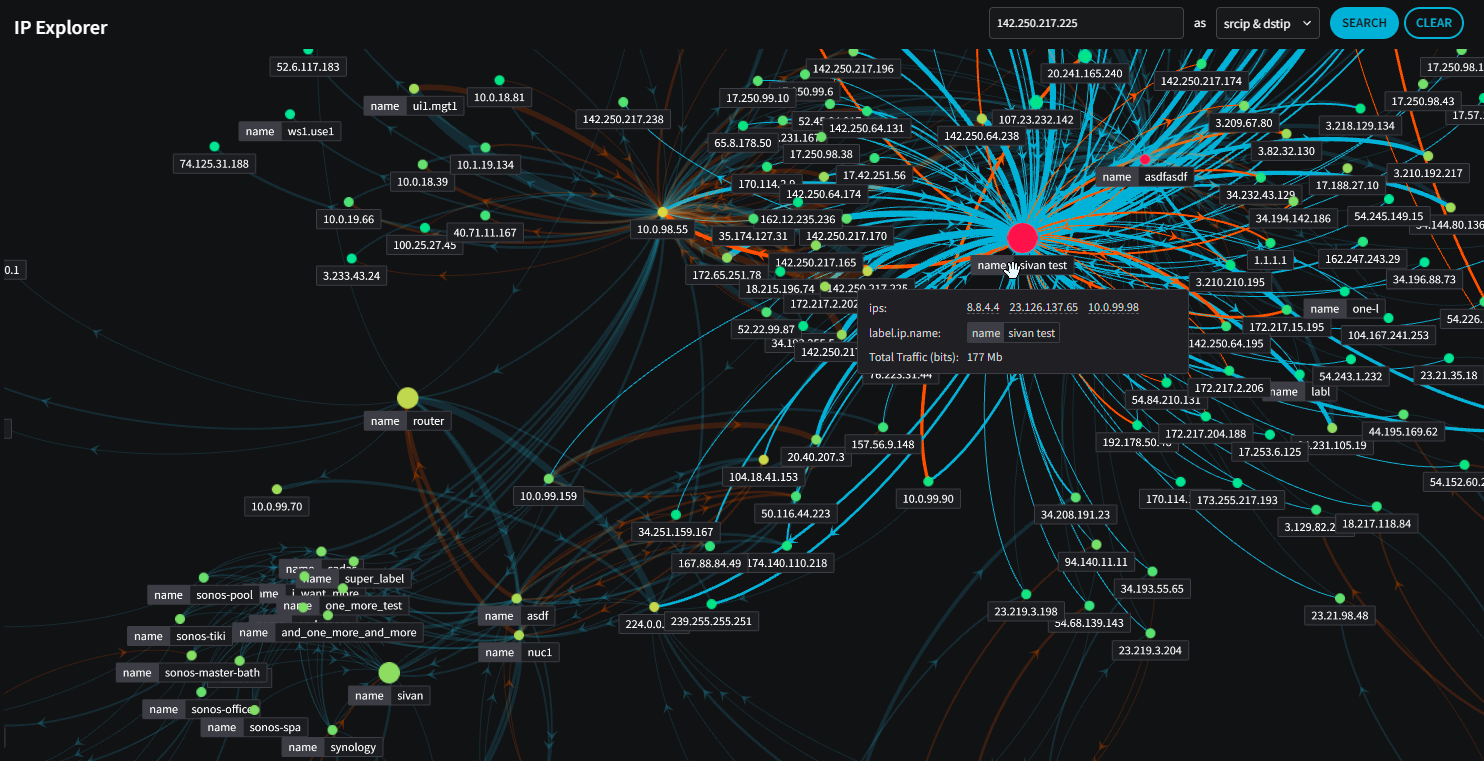
IP Explorer now shows label ↔︎ label traffic in addition to ip ↔︎ ip traffic:
Forms have been updated to better handle viewing and copying values when a user does not have edit permission.
Widgets can now inherit the metric that is set in the Global Filters.
If a value widget is only showing a geographic country, the country flag can now be shown in the background
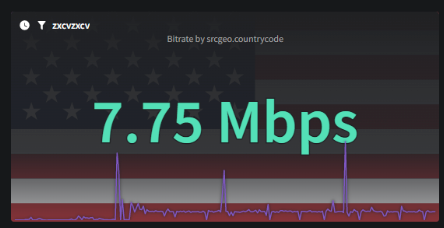
📘The country flag only appears for value widgets and gauges.
Added a quick ability to set the “start” date of queries to “max retention”. e.g. “show all data” without having to choose a date:

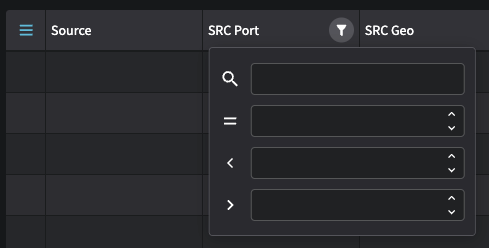
New Table UX with additional search/filtering capabilities:
SSO Settings have now been moved to their own page.
Private Network Classifications are now enabled by default when creating new customers.
Enhancements
Portal
Added View-only mode for forms (readonly roles, etc)
Widgets: Can now inherit the metric from the Global Filters
Added Labels to IP Intel page
IP Explorer: Ability to show links between labels (instead of IPs)
Value widget: Can now show country flag
Dashboards: Remove favorites column dropdown filter (all tabs) in Managed Dashboards
Quick ability to set the query date range to
maxUpdated the toggle color for the 2 option toggle
Upgraded Table UI/Filtering
Separated SSO settings to it's own page
UI: Added
<code>tags to NQL keys in descriptionsPropagated new "Source and Destination" columns
Network Classifications: Removed 'clear' button
Added date fields as available columns in the Detection Models table
API
New API reference available alongside our product documentation. See API Reference for more information.
Enabled "Private Network Classification" by default.
Other bug fixes and improvements
Portal
Forms: Erroring too quickly on user input
IP Intellegence: Removed warning for IPv6 addresses
Sliders: Default value now moved on the left
Add/Edit Flow Tag page wording error
not updated when selecting tabs on My Profile and Account Settings
Bar Charts: not showing y-axis values
Labels failing to load if an IPv6 label exists
Realtime button should allow click on the entire box, not just the icon, similar to fullscreen and drawer buttons
Inadvertent leakage of the term "catarithm"
Change “Error login to another customer” to “Error logging in to customer”
Last updated