

March 21, 2023
The Netography Fusion now has label centric UI enhancements in regard to new defined columns, global filtering updates, new widget customization, and many more.
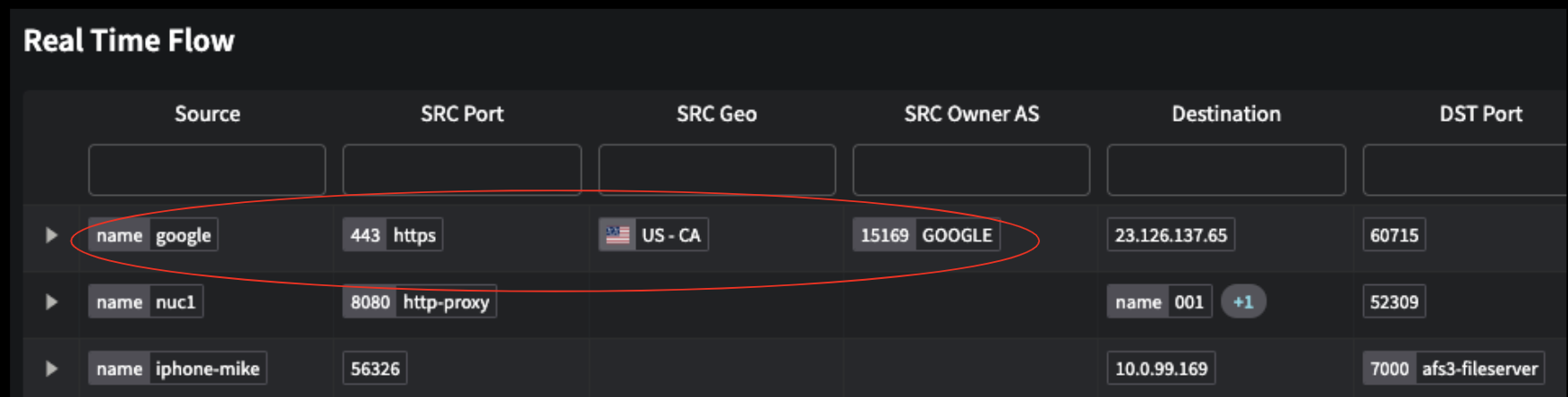
New UI defined columns have been introduced to flow tables, bringing forward new consolidated refinement. Labels now show both the label value and the label context.
Highlights
Portal
If users have previously customized these tables, they will need to “reset layout” on the table to see the new columns.
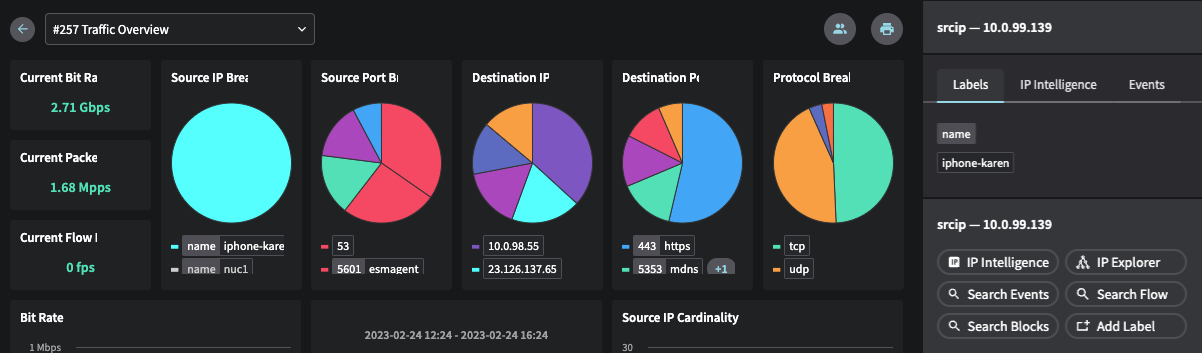
The right-hand “Labels Tray” has now become a “Properties Tray” with one-click access to context menus, all labels, ip intel and events. There are also clickable labels in the chart legends, which open the properties tray for further drill-down and investigation options.
Global Filtering updates
Netography Fusion has a new field in Global Filters that allows you to change what label context is being displayed in the portal for IP addresses. You can also turn off labels to see the IP address.
The IP Explorer also has performance improvements regarding web workers usage on multi-threading its calculations for preventing thread locking.
New markdown based text widget
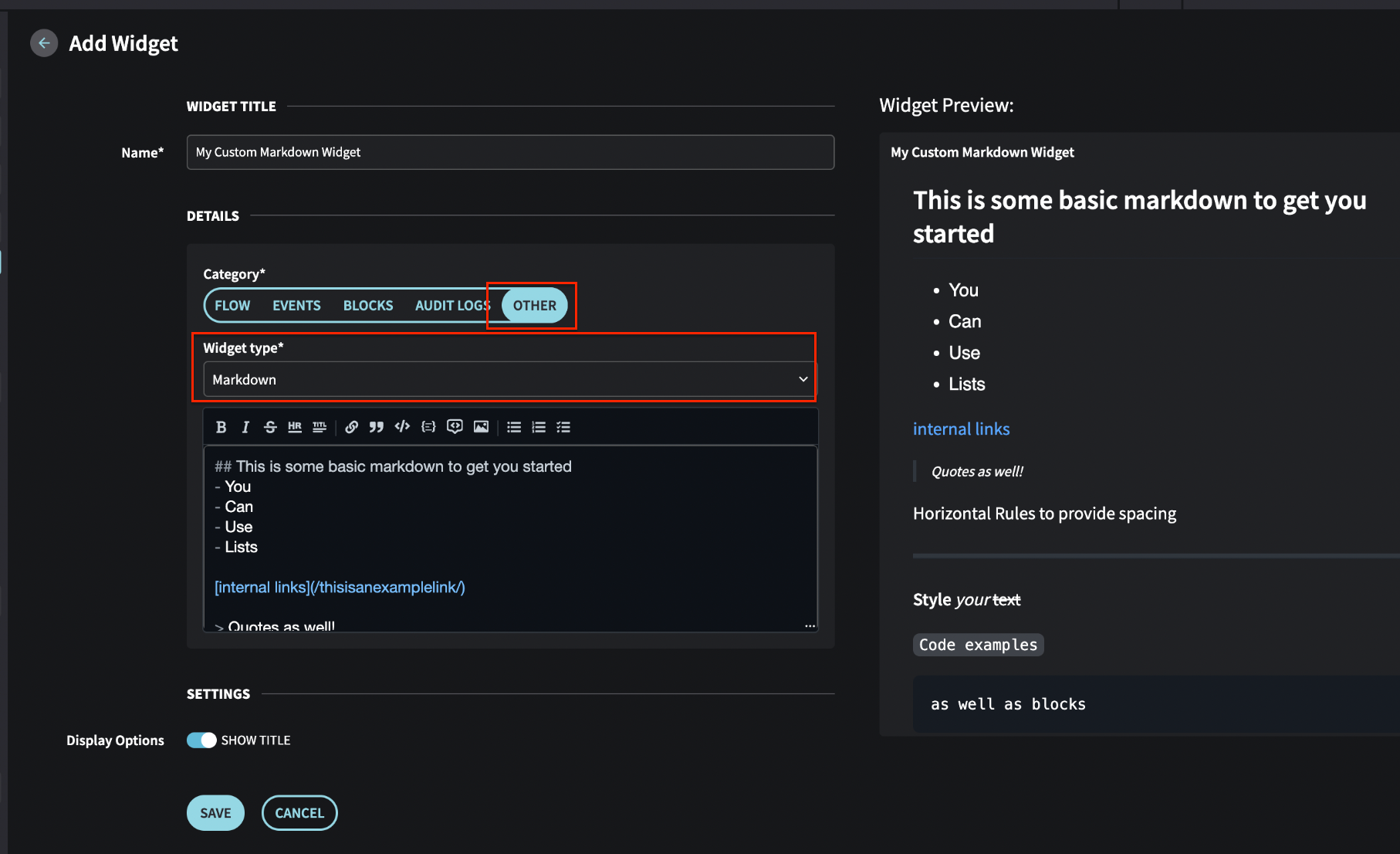
When adding a widget, the category OTHER option now includes a Markdown option in the Widget type drop down and includes a prefilled markdown template to get you started.
The markdown widget enables notes, documentation links, playbook information, and code that can be copied into other systems.
🚧As dashboards can be shared to non-portal users, be sure to remove any sensitive information and data when creating a markdown widget.
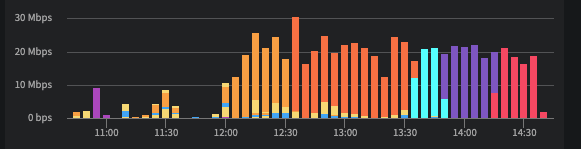
New stacked bar chart for timeseries widgets
Miscellaneous
IDM (identity management) tooling can now be linked to Netography Fusion sub accounts and allow the target IDM tooling itself to be used for authentication.
Upon inactive token expiration, masquerading users will have their account name reset to their default customer.
Enhancements
Integrations
For Context Integrations, the run now API automatically runs after a successful update, such as updating a context integration against the API directly. This also updates the labels immediately.
The Netography Fusion portal also reflects the run now API status when an add/update is issued to a Context Integration in the portal.
Portal
TDMs: Now display a message when trying to delete a TDM that is in use by a Response Policy
Renamed "UpgradeLabels Tray" to "Properties Tray"
Labels: Combined label value and context in table display
NQL Suggestions: Included system preset examples for threshold settings
Dashboards: Introduced a markdown text widget
Context Menus for IP addresses: Added option to whitelist an IP address
Automatically open properties tray upon clicking a value
Added stacked bar charts
Widgets: Provided a description for each widget type
NQL Suggestions: Introduced new label context aliases
DMs: Revised description for "Hide Events" option
API
Threat Detection Models (TDMs): Added global option to Netography Fusion's "Track By" fields
Key: Revert masquerades automatically when JWT expires
Other bug fixes and improvements
Portal
Tables: Sorted IP addresses by numeric value
NQL Threshold Suggestions: Removed duplicate operator suggestions for functions
Shortname: Clarified that plus sign is not allowed
Fixed table column instability
Resolved JavaScript slowdown and crashes on IP Explorer page
IP Labels: Ensured drill-down is filtered by IP address when aggregating by context
Pasted NQL Formatting: Retained user-input characters
Corrected typo in "Send Password Change Email" dialog box
Flow Details: Removed "Reverse DNS" column from "IP Intelligence" table
Traffic Miner: Now displaying average, not sum, in aggregate chart
Fixed custom dashboard filtering
Flow Sources: Prevented accidental cancellation of /vpc API calls
Updated billing attributes correctly
Bar Charts: Ensured data sorts correctly after an update
Improved error message for SSO and local user conflicts
Last updated